What "idling" actually does
When Steam shows you as "playing" a game, two things happen behind the scenes:
- Steam credits playtime to your account (counts toward badges and stats).
- Steam rolls a chance for a trading-card drop every ~30 minutes, up to that game's drop pool (usually 5-10 cards).
Idling is just sending Steam the "I'm playing this" message without actually launching the game. The Steam network handles it; no anti-cheat involvement, no game files modified.
Three ways to idle Steam games
Most people end up at hosted idling after trying the other two. Here's why:
Idle Master / Steam Idle Master
The original. Single Steam account, runs as a Windows app on your own machine. You leave the PC on. Limitations: one account, your electricity bill, your PC must stay awake and connected.
ArchiSteamFarm (ASF)
Free, open-source, multi-account. The catch: you install Python and .NET, write JSON config files for each account, and keep your own machine running 24/7. Powerful, but a real time investment to set up - and if your PC reboots, idling stops until you log back in.
Hosted idler (like SteamBoost)
Browser sign-in, no install. Add Steam accounts via a dashboard, the server idles them around the clock. Your computer can be off. The trade: you pay for paid tiers (free tier is genuinely free for up to 2 accounts) and trust someone else's box to hold your credentials.
Setting up hosted idling (full walkthrough)
The whole flow takes about two minutes. Here's exactly what you do.
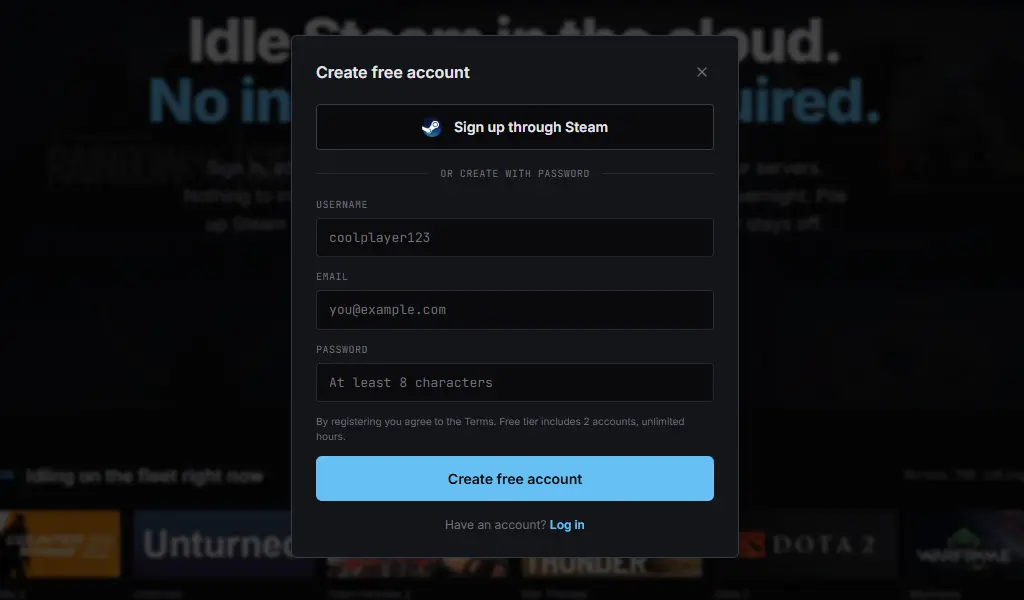
Create a free account
Go to steamboost.xyz and click Start free. Username, email, password - no credit card. The free tier covers 2 Steam accounts forever, which is enough to actually try the service before paying.
Add your Steam account
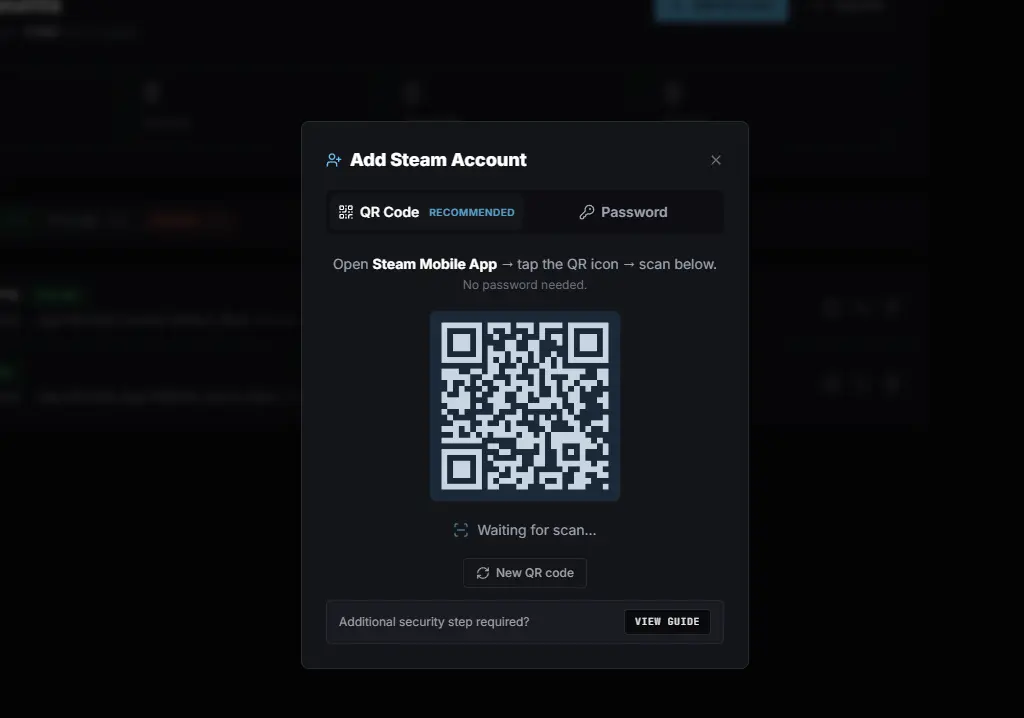
On the dashboard, click + Add Account. You have two options:
- QR login (recommended). Open the Steam Mobile app, tap the QR scanner, and scan the code in your dashboard. Steam mints a session token directly - your password never leaves your device.
- Password login. Username and password. Steam Guard asks for a 2FA code on first sign-in; after that, the session token persists across restarts.
Pick games to idle
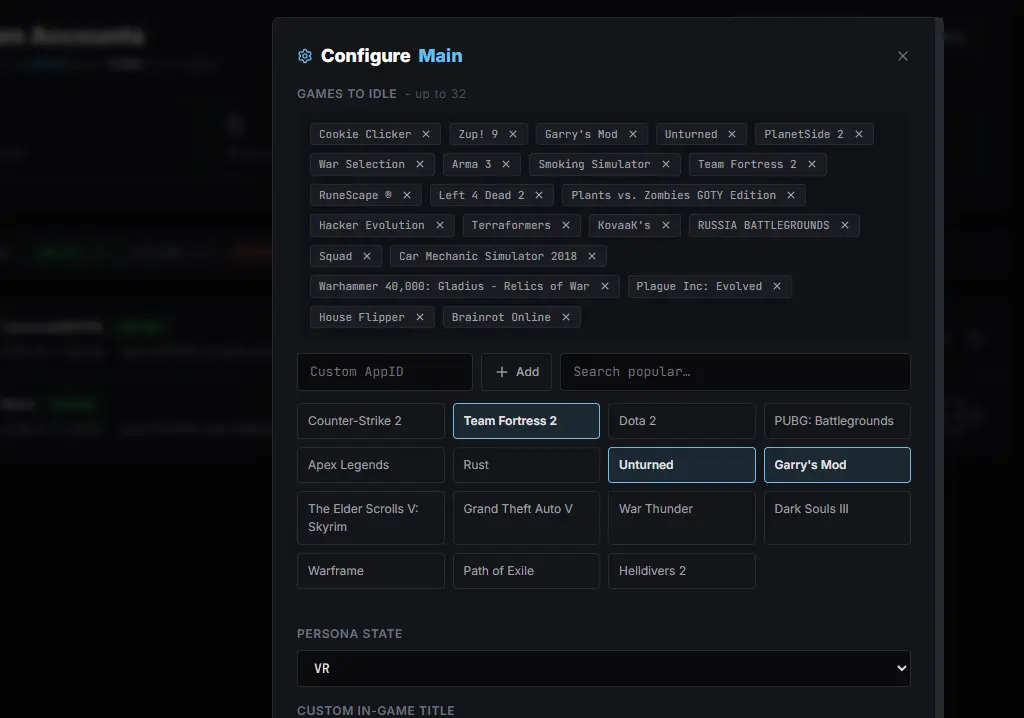
Search games from your Steam library and add them to the rotation. Steam allows up to 32 simultaneous games per account (hard cap on Steam's side). The system cycles between them every ~5 minutes so each one accumulates real playtime, not just the first one in the list.
Tip: if you're after trading cards, pick games you still have undropped cards on. Once a game's drop pool runs dry, idling it gets you playtime but no cards - Card Farmer (any paid plan) auto-rotates away from drained games.
Click Start
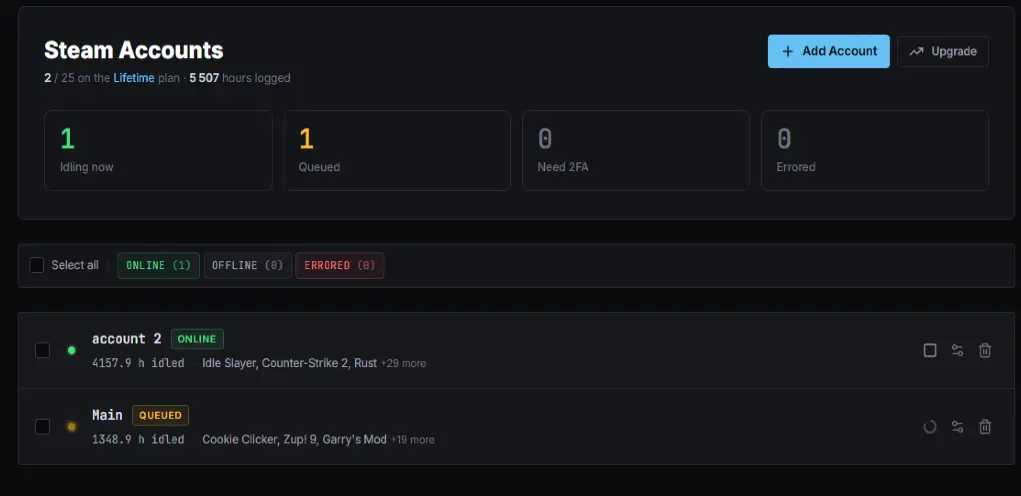
That's the entire setup. The account flips to ONLINE in the dashboard, hours start ticking up, and you can close the tab. The server keeps idling 24/7 - your PC can be off, asleep, or in a different country.
But what about VAC bans?
Short answer: idling doesn't cause VAC bans. VAC scans the inside of running multiplayer games for modified files and memory tampering. Idling never launches the game - it only sends Steam the "currently playing" status. Steam Support has stated this publicly for over a decade.
Full breakdown with the official Steam quote: the FAQ.
Free tier vs paid
If you only want to idle 1-2 of your own accounts, the free tier is enough forever. Paid tiers exist for people running larger fleets or who want Card Farmer's auto-optimization.
| Free | Paid (from $2.99/mo) | |
|---|---|---|
| Steam accounts | 2 | 5-25 |
| Games per account | 10 | 15-32 |
| Hours per game per month | 400 | Unlimited |
| Card Farmer (auto-priority by $/hour) | - | All paid plans |
| Bulk free-game claim | - | Pro and up |
Common questions
- Does idling count as real playtime? Yes - same as actually playing. Hours show on your profile and count toward badges.
- Can I still play normally? Yes, but not at the same time. Steam allows one session per account. If you launch a game on your own PC, the idler gets bumped off and resumes when you close it.
- Can I idle games I don't own? No. Only games in your Steam library.
More: full FAQ.